



What Is SaaS? SaaS (Software as a Service) is a software delivery model that allows users to access applications over the internet without managing the entire installation and infrastructure themselves. The provider operates the underlying systems and makes the application available through a web browser, an app, or another supported interface.
In simple terms, imagine using an online document editor to create a report. You sign in, write your content, and save your work online. You do not need to maintain the servers that run the application.
This is the basic idea behind Software as a Service: software is provided as an ongoing service rather than only as a product that you purchase and install.
SaaS products are used for many tasks, including email, project management, customer relationship management (CRM), accounting, design, communication, and marketing.
What Is SaaS in Simple Words?
SaaS means using software through the internet while the provider manages much of the technology behind it.
For example, a small business might use an online invoicing application to create bills, track payments, and manage customer records. Employees can sign in to use the service without setting up their own application server.
SaaS products may use subscriptions, usage-based fees, free plans, or a combination of pricing options. SaaS does not automatically mean that a product is paid monthly.
How Does SaaS Work?
The how does SaaS work question becomes easier to understand when you break the process into a few steps.
- The provider hosts the application. The software runs on infrastructure managed by the provider or its hosting partners.
- The user signs in. Users generally access the service through a browser or supported application.
- The application processes requests. When someone creates a document, updates a customer record, or sends a campaign, the service processes the request.
- Data is stored and managed. Depending on the product, information may be stored in the provider’s systems or connected services.
- The provider maintains the platform. The provider is typically responsible for application updates and much of the underlying infrastructure, while customers still need to manage their own users, permissions, and appropriate settings.
Consider a marketing agency with team members in different cities. Instead of emailing spreadsheets back and forth, the team could use a cloud-based project management application to assign tasks, update progress, and share files.
The application makes collaboration easier, although the exact features and responsibilities depend on the service selected.
Key Features of SaaS
SaaS platforms often share several characteristics.
1. Cloud-based access
Users can generally access the application from supported devices through an internet connection. Some services also offer limited offline functionality.
2. Subscription or usage-based pricing
Many providers offer monthly or annual plans. Others charge according to usage, number of users, or features. Some provide a free tier.
3. Automatic software updates
The provider usually manages application updates, so customers do not need to install every new version manually.
4. Scalability
Businesses can often add users, increase usage, or move to a different plan as their requirements change. The available options depend on the provider.
5. Multi-tenant architecture
Some SaaS platforms use multi-tenant architecture, where multiple customers use a shared application environment while their data and configurations remain logically separated. Not every SaaS product uses the same architecture.
6. Integrations
Many applications connect with other tools, such as accounting systems, CRMs, analytics platforms, and email services. Before purchasing, check whether the integrations you need are supported.
Common SaaS Examples
SaaS covers a wide range of business and personal applications. The examples below describe common product categories rather than recommending a specific vendor.
Popular SaaS categories
| Category | What it helps users do |
| Customer relationship management (CRM) | Organize customer information, sales activity, and follow-ups |
| Project management | Assign tasks, set deadlines, and track project progress |
| Communication and collaboration | Chat, hold meetings, and share documents |
| Email marketing | Create campaigns, manage subscriber lists, and review results |
| Accounting and invoicing | Prepare invoices, track expenses, and manage financial records |
| Cloud storage | Store, organize, and share files online |
| Design software | Create graphics, presentations, and other visual assets |
| Content management | Publish and manage website content |
When evaluating SaaS applications, look beyond the category name. Two products may serve a similar purpose but differ in integrations, reporting, security features, support, and price.
Benefits of SaaS for Businesses
The benefits of SaaS depend on the application and how an organization uses it. Common advantages include the following.
To understand these advantages in more detail, explore our complete guide on Benefits of SaaS for Businesses, including its key advantages and potential limitations.
Lower upfront costs
Businesses may avoid purchasing and maintaining their own application servers or paying a large upfront software licence fee. However, subscription fees can add up over time.
Easier maintenance
The provider typically handles application maintenance and updates. This can reduce the amount of routine software administration required from the customer’s IT team.
Flexible access
Employees can often work from different locations and supported devices. This can be useful for distributed teams and businesses with remote workers.
Easier scaling
A business may be able to add users or features without buying and installing new infrastructure. The level of flexibility depends on the plan and provider.
Improved collaboration
Shared workspaces can help team members coordinate tasks, update information, and work on the same project.
Faster implementation
Ready-to-use software may take less time to deploy than a fully custom application. Complex integrations, data migration, and staff training can still require substantial effort.
Disadvantages of SaaS
SaaS is useful for many organizations, but it also introduces limitations that should be considered before choosing a provider.
Internet dependency
Many services need a reliable internet connection. If connectivity is lost, some features may become unavailable.
Recurring costs
Subscription fees continue for as long as the service is used. Multiple subscriptions can create significant ongoing expenses.
Security and privacy considerations
Businesses need to understand how providers protect information, control access, handle incidents, and meet applicable contractual or regulatory requirements. Cloud services are not automatically secure simply because a specialist provider operates them. The UK National Cyber Security Centre provides guidance on selecting and using cloud services securely.
National Cyber Security Centre
Vendor lock-in
Moving to another platform can be difficult if data, workflows, integrations, or business processes depend heavily on the existing provider.
Data portability
Before signing a contract, check whether you can export your data in a usable format, how long you can access it after cancellation, and whether export or migration fees apply.
Limited customization
Some products offer extensive configuration, while others restrict how much users can change. A highly specialized business may need custom software or a different solution.
SaaS vs Traditional Software
The difference between SaaS vs traditional software is mainly how the application is delivered, maintained, and paid for. Traditional software can also be cloud-connected, so the distinction is not always absolute.
| Factor | SaaS | Traditional installed software |
| Access | Commonly through a browser or online app | Commonly installed on a computer or organization-managed system |
| Maintenance | Provider typically manages the application platform | User or IT team may manage installation and updates |
| Pricing | Often subscription or usage-based | May use a licence fee, subscription, or other model |
| Updates | Usually managed by the provider | May require user or IT action, depending on the product |
| Infrastructure | Usually managed by the provider | May rely on local devices or organization-managed infrastructure |
| Data handling | Depends on the provider and configuration | Depends on where the software stores and processes data |
Neither model is always better. SaaS may suit businesses that want managed applications and easy access. Installed or self-managed software may be appropriate when an organization requires particular levels of control, offline use, customization, or deployment flexibility.
SaaS vs PaaS vs IaaS
SaaS, PaaS, and IaaS are three common cloud service models. They differ in how much the provider manages and how much control the customer retains.
| Model | Full form | Main purpose |
| SaaS | Software as a Service | Use ready-made software |
| PaaS | Platform as a Service | Build, test, and deploy applications |
| IaaS | Infrastructure as a Service | Provision computing infrastructure, such as servers and storage |
For example, a business employee might use SaaS to manage customers. A developer might use PaaS to build a new application. An IT team might use IaaS to provision servers for a custom system.
Want to understand these cloud service models in more detail? Read our guide on SaaS vs PaaS vs IaaS: Key Differences and Examples to explore how these models differ and when businesses use them.
The best option depends on the organization’s technical skills, control requirements, budget, and goals.
SaaS Pricing Models Explained
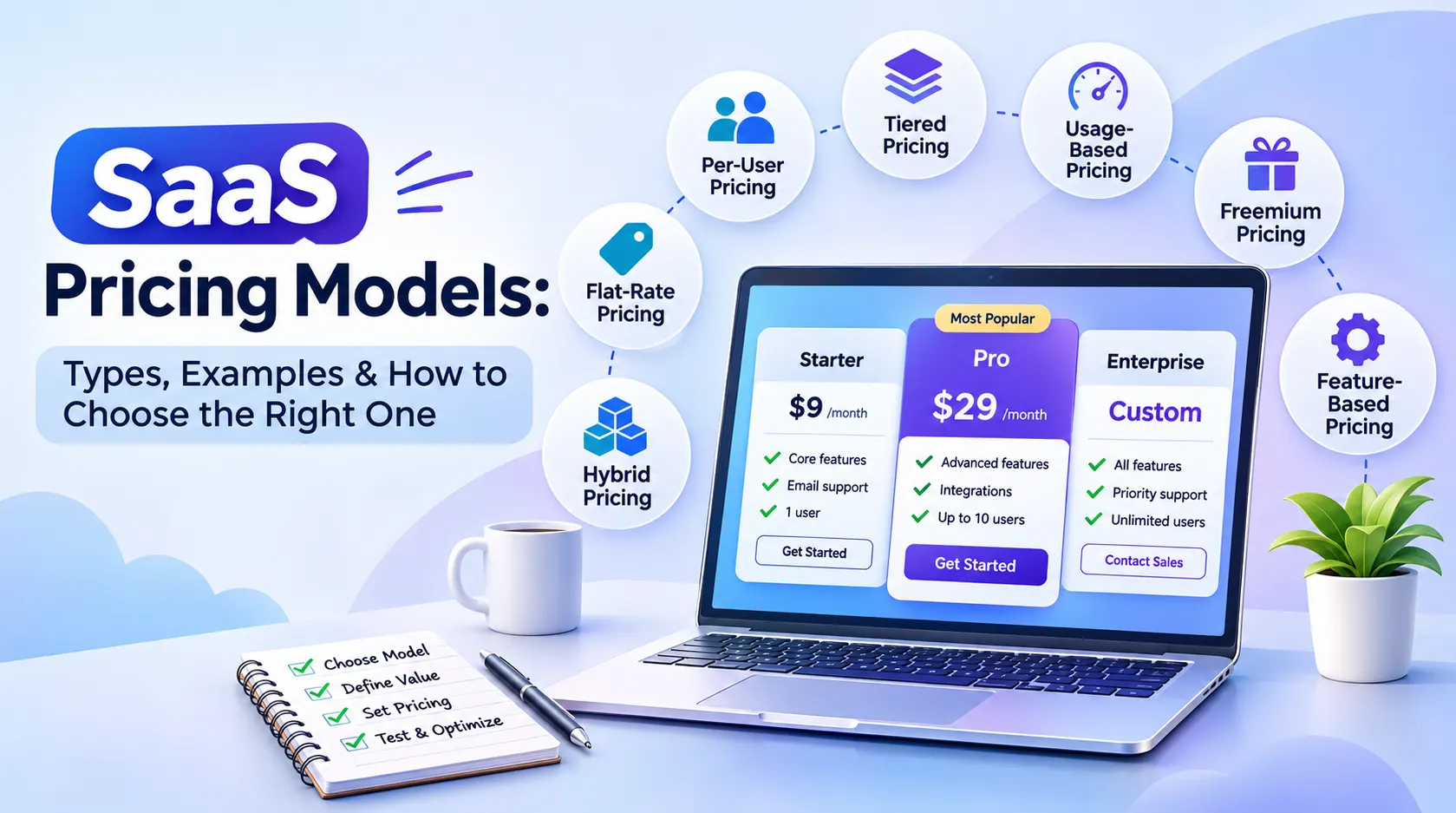
The SaaS business model often relies on recurring revenue, but providers use several pricing approaches.
- Free tier: Users can access a limited set of features at no charge.
- Freemium: Basic features are free, while advanced functionality requires payment.
- Per-user pricing: The cost depends on the number of users.
- Tiered pricing: Different plans include different features or usage limits.
- Usage-based pricing: Charges depend on consumption, such as transactions, storage, or processing.
- Annual subscription: Customers pay for a year, sometimes at a lower effective monthly rate than a monthly plan.
Compare the total cost, not only the advertised starting price. Consider the number of users, extra features, usage limits, implementation, support, and cancellation terms.
If you want to understand different subscription structures in more detail, read our guide to SaaS Pricing Models, covering freemium, tiered, per-user, and usage-based pricing.
Who Should Use SaaS?
SaaS can be suitable for individuals, startups, small businesses, and large organizations.
- Individuals may use it for productivity, file storage, learning, or personal projects.
- Startups may use ready-made applications to manage operations without building every tool themselves.
- Small businesses may use online tools for accounting, customer management, scheduling, and marketing.
- Larger organizations may use SaaS across departments, provided the products meet their security, integration, governance, and compliance requirements.
SaaS may be less suitable when a service cannot meet essential technical requirements, when dependable offline operation is critical, or when an organization needs a level of control that the provider does not offer.
How to Choose the Right SaaS Solution
When deciding how to choose SaaS software for a small business, start with the problem you need to solve rather than the number of features a product advertises.
For a more detailed selection process, read our guide on how to choose the right SaaS software for your business, with practical tips for comparing different software solutions.
- Define your requirements. List the tasks the software must support.
- Set a budget. Calculate the likely cost as your team grows.
- Check integrations. Confirm compatibility with your existing tools and workflows.
- Review security and privacy. Investigate access controls, data handling, relevant certifications, and contractual responsibilities.
- Test usability. Use a trial or demonstration where available.
- Assess support. Check support hours, response options, and documentation.
- Review contract terms. Understand renewal, cancellation, data export, and migration conditions.
- Plan for growth. Make sure the product can support your likely future needs.
A useful selection process compares a short list of suitable products against the same requirements. This is more reliable than choosing a tool based only on popularity or a low introductory price.
Frequently Asked Questions About SaaS
1. What is SaaS in simple words?
SaaS is software that you access as an online service. The provider runs and maintains much of the technology behind the application, while you use its features through a supported interface.
2. What are some examples of SaaS?
Common examples include online email, project management platforms, customer relationship management systems, cloud accounting tools, collaboration apps, and browser-based design software.
3. How does Software as a Service work?
The provider hosts the application and makes it available over the internet. Users sign in, use its features, and work with data managed according to the provider’s systems and policies.
4. Is SaaS the same as cloud computing?
No. Cloud computing is the broader model for delivering computing resources over a network. SaaS is one cloud service model, alongside PaaS and IaaS.
5. What are the main advantages and disadvantages of SaaS?
Advantages can include easier access, provider-managed updates, lower upfront infrastructure costs, and flexible scaling. Disadvantages can include recurring fees, internet dependency, security and privacy considerations, and challenges when moving to another provider.
6. What is the difference between SaaS, PaaS, and IaaS?
SaaS provides ready-to-use applications, PaaS provides an environment for developing applications, and IaaS provides computing resources such as servers, storage, and networking.