




Cloud computing has changed how businesses use technology. Instead of buying expensive hardware and managing every software component themselves, companies can access computing resources, development platforms, and applications through the internet.
Three common cloud computing service models are SaaS, PaaS, and IaaS. Although their names sound similar, each serves a different purpose. Understanding SaaS vs PaaS vs IaaS helps individuals, developers, and businesses choose the right technology for their needs.
In this guide, we’ll explain how these models work, explore real-world examples, compare their key differences, and help you understand when to use each one.
What Is SaaS (Software as a Service)?
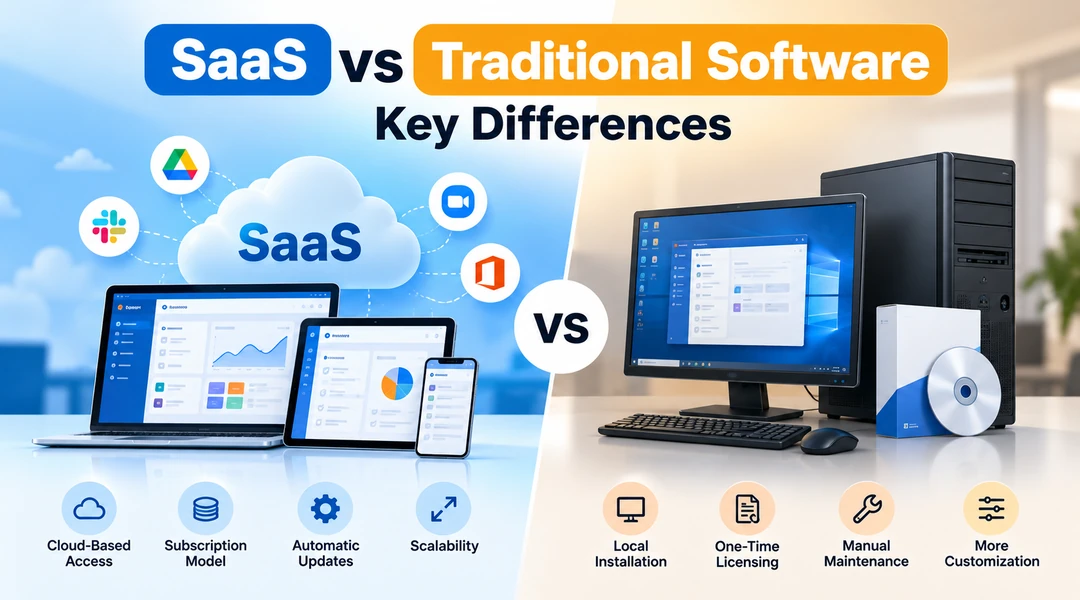
Software as a Service (SaaS) delivers ready-to-use software applications over the internet. Users can typically access these applications through a web browser or mobile app without installing and maintaining the underlying software themselves.
The service provider manages the application, hosting infrastructure, updates, and routine maintenance. Users mainly focus on using the software to complete their daily tasks.
SaaS examples include:
- Google Workspace: Create documents, spreadsheets, and presentations.
- Salesforce: Manage customer relationships and sales activities.
- Slack: Communicate and collaborate with team members.
- Dropbox: Store and share files online.
SaaS is suitable for individuals and businesses that need functional software without managing servers or complex technical systems.
For example, a marketing team can use a SaaS project management tool to assign tasks, track deadlines, and collaborate remotely without building its own application.
What Is PaaS (Platform as a Service)?
Platform as a Service (PaaS) provides a managed environment for building, testing, deploying, and running applications. Instead of setting up servers and configuring the entire development environment, developers can focus on writing code and improving their applications.
The provider manages much of the underlying infrastructure, operating system, and runtime environment. Developers remain responsible for their application code and data, along with other responsibilities defined by the service.
PaaS examples include:
- Heroku: Deploy and manage web applications.
- Google App Engine: Build and host applications on a managed platform.
- Azure App Service: Host web applications and APIs.
- AWS Elastic Beanstalk: Deploy applications while the platform manages much of the infrastructure.
PaaS is particularly useful for development teams that want to build applications faster without managing every server-related task.
For example, a startup developing a web application can use PaaS to deploy its code without purchasing physical servers or manually maintaining the underlying operating systems.
What Is IaaS (Infrastructure as a Service)?
Infrastructure as a Service (IaaS) provides cloud-based computing resources such as virtual servers, storage, and networking. Businesses rent these resources from a provider instead of purchasing and maintaining all their physical hardware.
IaaS gives customers more control over their computing environment than PaaS or SaaS. However, that control comes with additional technical responsibilities.
The provider manages the physical infrastructure and virtualization layer, while customers typically manage their operating systems, applications, configurations, and data.
IaaS examples include:
- Amazon EC2: Run applications on virtual servers.
- Google Compute Engine: Create and manage virtual machines.
- Azure Virtual Machines: Deploy customizable cloud-based servers.
IaaS is useful for businesses that need flexible infrastructure, custom configurations, or control over how their applications run.
For example, an e-commerce company can use IaaS to increase its server capacity during a major sale without purchasing additional physical servers.
SaaS vs PaaS vs IaaS: Key Differences
The main difference between these cloud computing service models is the level of control and management responsibility given to the customer.
| Feature | SaaS | PaaS | IaaS |
| Full form | Software as a Service | Platform as a Service | Infrastructure as a Service |
| Main purpose | Use ready-made software | Build and deploy applications | Rent computing infrastructure |
| Primary users | Individuals and business teams | Developers | IT and DevOps teams |
| Provider manages | Application and underlying infrastructure | Infrastructure and development platform | Physical hardware and virtualization |
| Customer manages | Usage, access, and their data responsibilities | Application code and data | OS, applications, configurations, and data |
| Technical knowledge | Usually minimal | Programming knowledge generally required | Strong infrastructure knowledge often required |
| Example | Salesforce | Heroku | Amazon EC2 |
In simple terms, SaaS lets you use software, PaaS lets you build software, and IaaS lets you manage the infrastructure that runs software.
SaaS vs PaaS: What Is the Difference?
The difference between SaaS and PaaS comes down to what you want to accomplish.
SaaS provides a completed application that users can access and operate. PaaS provides a development environment where developers can create and deploy their own applications.
For example, a business using Google Workspace to manage documents is using SaaS. A developer using Google App Engine to deploy a custom web application is using PaaS.
Choose SaaS when you need an existing solution for everyday tasks. Choose PaaS when you need to develop an application without managing the underlying infrastructure.
PaaS vs IaaS: What Is the Difference?
PaaS and IaaS both support application development, but they offer different levels of control.
With IaaS, developers or IT teams manage the operating system and much of the software environment themselves. With PaaS, the provider manages more of these components, allowing developers to focus on application development.
For example, a team using Amazon EC2 may need to configure and maintain its virtual machine’s operating system. A team using Heroku can deploy supported applications through a managed platform with less infrastructure administration.
Choose IaaS when customization and infrastructure control matter most. Choose PaaS when faster development and reduced infrastructure management are higher priorities.
Which Is Better: SaaS, PaaS, or IaaS?
There is no single best option for every business. The right model depends on your goals, technical expertise, and available resources.
Choose SaaS if:
- You need ready-to-use business applications.
- You want to minimize software installation and maintenance.
- Your team needs accessible collaboration tools.
Choose PaaS if:
- You are developing a website, API, or application.
- You want to focus on coding instead of server management.
- Your development team needs a managed environment.
Choose IaaS if:
- You need greater control over your infrastructure.
- Your applications require specialized server configurations.
- Your IT team can manage operating systems, networking, and security.
Businesses can also combine these cloud computing service models. For example, a company might use SaaS for team communication, PaaS to develop an internal application, and IaaS to host a specialized workload.
Frequently Asked Questions
What is the difference between SaaS, PaaS, and IaaS?
SaaS provides ready-to-use applications, PaaS provides a managed platform for application development, and IaaS provides cloud infrastructure such as virtual servers, storage, and networking.
What are some SaaS, PaaS, and IaaS examples?
Google Workspace and Salesforce are SaaS examples. Heroku and Google App Engine are PaaS examples. Amazon EC2 and Google Compute Engine are IaaS examples.
Which cloud computing model is easiest to use?
SaaS is generally the easiest for non-technical users because the application is ready to use. PaaS requires development knowledge, while IaaS usually requires more infrastructure expertise.
Can a business use SaaS, PaaS, and IaaS together?
Yes. A business can use SaaS for everyday operations, PaaS to develop custom applications, and IaaS to host workloads that require greater infrastructure control.